Latest Post

Apa Saja Yang Baru Dari Ubuntu 11.04 Natty Narwhal (Ubuntu Natty Narwhal Preview)

Written By Unknown on Sunday, 22 May 2011 | 01:13


What's new Ubuntu 11.04 Natty Narwhal? Apa yang baru dari Ubuntu 11.04 Natty Narwhal? Banyak! Berikut ini saya list saja semua pembaruan yang menurut saya betul-betul asyik:


  1. Upgrade dan replace software. LibreOffice menggantikan OpenOffice.org. Mozilla Firefox upgrade ke 4.01. Banshee menggantikan Rhythmbox, ditambah dengan fitur integrasi tombol play, next dan forward di Gnome Volume Control (sungguh, ini fitur asyik).

  2. Desktop memakai Unity yang berbasis Gnome 'Classic' versi terbaru 2.32.1. Yang sangat asyik, jika komputer kita tidak memakai VGA yang support 3D (misal: onboard non-intel), secara otomatis desktop default akan dialihkan ke desktop Gnome 'Classic'.

  3. Fitur mount dan unmount partisi harddisk/usb flashdisk/removable media yang lebih responsif dan dengan fitur yang lebih lengkap (seperti fitur Format pada opsi klik kanan).

  4. Broadband Networking yang lebih sempurna dan sepenuhnya bekerja. Setup yang sangat mudah dengan wizard. Ini peningkatan yang sangat bagus. Mengenai fitur ini, saya membuat sebuah post mengenai setup dial up memakai handphone dengan koneksi bluetooth.

  5. Fitur instalasi yang lebih baik. Cuma, saya menemukan satu bug (mungkin ini kondisional pada komputer saya). Pada bagian custom partitioning, saya tidak bisa membuat custom mount point untuk partisi-partisi hardisk saya, sehingga hanya ada opsi dikatikan ke /dos dan /windows. Padahal, akan lebih fleksibel manakala partisi hardisk kita dikaitkan ke /media.

  6. Tema yang jauh lebih elegan. Sepertinya tema Ambiance dan Radiance akan menjadi tema yang sangat Ubuntu dan sangat berkarakter (jujur, saya sangat suka dengan tema hitam tersebut, terkesan elegan dan jantan).


Begitulah secara keseluruhan review saya mengenai Ubuntu 11.04 Natty Narwhal. Secara keseluruhan, untuk rilis Ubuntu kali ini, saya memberi point 9,75 dari 10. Satu “nilai plus” dari Ubuntu Natty adalah memakai desktop Gnome “Classic” 2.32.1 (kita semua tahu, Gnome 3 banyak menuai kekecewaan di kalangan user Linux karena ke-tidak-customable-annya) :D


Berikut ini spesifikasi komputer yang saya pakai untuk menjalankan Ubuntu 11.04 Natty Narwhal:


Prosesor : Intel Pentium IV 2,4 GHz

RAM : DDR1 512 MB

VGA : Onboard SiS 661/741/760 FX

Setting Koneksi Dial Up Menggunakan Handphone Dengan Koneksi Bluetooth di Ubuntu 11.04 Natty Narwhal


Ubuntu 11.04 Natty Narwhal hadir dengan membawa cukup banyak peningkatan fitur, tampilan yang lebih elegan dan fresh, serta software-software baru yang bagus. Untuk software, Ubuntu Natty menghadirkan LibreOffice 3.3 (sebuah fork baru dari OpenOffice.org yang nampaknya akan jadi standar office di beberapa distribusi mayor), Mozilla Firefox 4.01 (versi yang sangat ditunggu-tunggu) dan integrasi Banshee dalam volume control Gnome, sekaligus menggantikan Rhythmbox sebagai default music player (saya sangat suka dengan fitur baru ini, sangat elegan).


Namun, dari semua itu, peningkatan fitur baru yang sangat saya sukai adalah : Ubuntu Natty sudah bisa membuat koneksi dial up menggunakan handphone dengan memakai koneksi bluetooth ! Ini sangat-sangat bagus dikarenakan saat ini harga handphone sudah semakin murah (handphone 3g sudah dibawah satu juta). Baiklah, mari kita bahas fitur baru yang maknyus ini.


Pertama, buatlah pairing antara komputer dengan handphone. Caranya, colokkan bluetooth dongle kita, lalu klik pada icon bluetooh di bagian atas dan pilih Add New Device. Ikuti saja wizard-nya, dan pada satu bagian, centanglah opsi bisa melakukan koneksi dial up memakai koneksi bluetooth – handphone. Lalu akan muncul wizard yang sangat mudah untuk diikuti. Pertama, pilih negara, dan lalu pilih operator. Ubuntu sudah mempunyai list semua operator GSM di Indonesia, mulai dari 3, Indosat hingga AXIS. Pilih saja operator yang kita gunakan (saya memakai operator 3).


setelah wizard selesai, pada applet Network Manager, pilihlah nama handphone kita, dan tunggu. Nanti akan dikenali pilihan nama operator, misal: 3 GPRS. Pilihlah nama operator kita yang muncul dalam Network Manager, dan jadilah Connection Established! Sangat simpel dan asyik betul :)


Berikut ini adalah catatan teknis periperial yang saya pakai:


Handphone : Nokia 2330-c (koneksi internet GPRS/EDGE)

Operator : 3 (Three)

Bluetooth : K-one Bluetooth USB dongle

Komputer : Intel Pentium IV 2,4 GHz, Memori 512 MB

50 Tricks to Get More People To Like Your Facebook Page

Written By Unknown on Wednesday, 18 May 2011 | 22:38

There are over three million active facebook pages, and these pages are gaining millions of new fans every day.

Yes, I just said fans.

Although the button has changed from “Become a fan” to “Like,” the action of joining a brands page remains the same. Facebook pages are still fan pages.

With Facebook’s announcement of The New Messaging there are more reasons to like Facebook, and Facebook pages, than ever.

I hope you enjoy this post about 50 Ways to Get More People to “Like” your Facebook Page, and if you do I would really appreciate it if you share these tips with your friends, and join the ProHackingTricks fan page.

Here are the tips:

1. Post a Status Update

Post a status update mentioning your facebook page.

Don’t be afraid to outright ask people to join your facebook page.  Ask and you shall receive.

Give them a great reason why they should join, tell them news, or find a creative way to mention and link to your page

2. Get fans to upload and tag photos

If you host (or attend) an event with several of your fans take a bunch of pictures, post them to your page, and then ask your friends to tag themselves in the pictures.

If you can get your fans to upload pictures to your page, or tag themselves in pictures you uploaded, this will post to their walls as well and will lead to additional traffic for you.


3. Offer an incentive for people to sign up

Using some static fbml you can create a dynamic facebook landing page with a “reveal tab” that contains content that is visible only to fans of your page.

The more valuable your incentive is, the more people will be compelled to click the “Like” button to access it.

Examples of exclusive content could be: An exclusive Video, an exclusive whitepaper/.pdf, exclusive pictures.

Stay tuned to ProHackingTricks.  In one of our upcoming posts will explain how to set up a “reveal tab.”

The image below shows different levels of increasing effectiveness for acquiring new fans.


Involver offers apps (and several of them are totally free) that make it easy to create a “Fan Gate” containing incentives, like a file or coupon, that will cause more people to “Like” your page.

4. Contact admins of groups related to your page

Groups are more powerful than pages in terms of their messaging ability. Pages send updates, but groups send messages directly to a users facebook inbox, triggering an email alert.

If you contact the admin of a facebook group with some valuable content that adds value to their readers then this can help them nurture their community and help you build yours.

5. Get people to join your page via SMS

Send a text message to 32665 (FBOOK) with the words “fan yourusername” OR “like yourusername” (without the quotes).

This feature is ideal when you’re in front of a live audience.

6. Install a page Badge


Facebook Badges are a simple, yet effective way to link to your facebook profile.

Unlike widgets, badges are simply images, and will load much faster.

7. Install a facebook “Like Box” into your site

Installing a “Like Box” is an excellent way to allow visitors to your site become fans without even leaving your page.

The like box builder tool makes it easy to customize the size of your like box, the number of connections to display, and even the color scheme.

Shown in the image below is the rarely used “dark” color scheme.

8. Use status tagging

Status tagging is a cool and fairly new feature of facebook.

This feature allows you to tag any page or person by entering the @ sign and then typing the name of the page or person you want to tag.

9. Suggest your page to friends

Use the “suggest to friends” feature of your page. Use this feature sparingly. Personally, I try to only invite people go my page once because I know it annoys me when multiple people invite me.

If you have many friends you might want to consider using the “invite all” Google chrome extension, rather than clicking hundreds or thousands of times.

10. Install a Like Button into your site

Installing a like button allows visitors to like your page, and when they do this posts the their activity stream.

This can send more traffic to your site and if you have a facebook “Like Box” and other content promotion your fan page, since this will help you convert your visitors into fans.

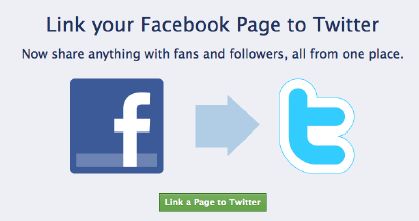
11. Connect your page to Twitter

Connecting your page to Twitter is an excellent way to convert your twitter followers into facebook fans.

Using this strategy will cause all of your posts to be sent to twitter, with a link back to the facebook version of the post.

www.facebook.com/twitter

12. Link to Your Page as  a Place of Employment

The info box uner profile pictures is being phased out, so now if you want an omnipotent link on your profile to your page you will need to list your Page under employment.  Once you do this your Facebook Page will appear under your name on your Profile.

13. Install commenting on your landing page

This will allow people to comment on your page, even if they are not a fan.

Any comments made can broadcast to news feeds and lead to more traffic to your page.

Setting up facebook commenting requires registering a facebook application, so act on this tip with caution unless you are comfortable with code.

14. Leverage Traditional Media

Since facebook is so widespread you can use any forms of traditional media and achieve results.

Newspapers, Media Buys, Radio, and TV all work, but are often very costly.

To maximize your promotion offer a free gift to those who join you page.

15. Newsletter Promotion

If you do email marketing send a message to your subscribers letting them know about your fan page and consider including a link to your fan page in every email.

16. Email Signature

Every email you send is an opportunity to link to your facebook page.

Check out the email signature tool wisestamp for a creative way to link to your social profiles.


17. Get business cards promoting your Facebook page

Business cards are cheap.

You can get 500 business cards from Vista Print for $1.99.

For this minimal investment you can get up to 500 new fans for your page!

Throw a link on your card and people will almost certainly check it out.

If you’re pressed for space in your design all page urls can be shortened from facebook.com to fb.me, or fb.com.

For example, www.facebook.com/prohackingtricks, www.fb.me/prohackingtricks, and www.fb.com/prohackingtricks all point to the same page.

18. Fiverr


Fiverr is an online marketplace where services are sold for five bucks.

Check out their “Social Marketing” and “Advertising” section and here you will find some people who are willing to suggest your page to 5,000 of their friends for just $5.

You will need to make the person who will suggest your page to their friends an admin in order for them to do this for you, but if you are willing to place your trust in someone to do this and they come through for you this will allow you to pick up dozens if not hundreds of new fans.

19. Create a Landing Page with Static FBML

By creating a custom landing tab for your facebook page you can increase the conversion of visitors to fans.

20. Run a “fans only” contest

An excellent way to run a fans only contest is using wildfireapp.

There are rules and regulations around running a contest on facebook so be sure to check out the facebook Statement of Rights and Responsibilities (“Statement”) before you run one.

21. Link to your page from your profile

Edit your Facebook profile information to include promotion for your Fan Page.

At the bottom of the info section of your profile you can include links to any websites you are affiliated with.

The more links you can build to your Page, the more traffic you will be able to send to your Facebook Fan Page. I am constantly seeking new opportunities to build links that will send traffic to my Fan Page.

22. Blog Commenting

Comment on blogs and in the website section use a link to your fan page.

23. Link to your facebook page from your linkedin profile

Linkedin gives every user three slots for links to whatever you’d like right on your profile.

You can make the anchor text of these links whatever you like, so I recommend using a call to action such as: Join my facebook page.

24. Upload video to facebook

Facebook video is very underrated, and exceptionally powerful.

When you embed a facebook video on another website this video includes a watermark link in the top left corner to the fan page it came from.


25. Watermark your videos with a link to your website

Using a video editing program include a link to your website.

I use camtasia to add my watermarks, and to record any screencast I create, and this program comes with a free 30 day trial.

26. Create a memorable URL

If you go to facebook.com/username you will be able to create a custom URL for your page.

Remember that this cannot be changed once it is set, so choose wisely.

27. Deliver an exceptional experience

Although facebook pages are no longer officially considered “fan pages” if you work to create fans of your brand many of them will certainly seek out and join your facebook page.

Strive to deliver an awesome experience for those who interact with your brand. Go above and beyond when engaging with your community and they will spread the word.

A famous article called 1,000 true fans maintains that they are all you need to create a thriving business. Don’t try just to get people to click “like” but instead seek to create raving true fan who will spread your word far and wide.

28. Link it up

This tip comes from @garyvee and it’s a good one: link it up!

Hyperlinks are what weave the web together so use them often and every time you do you are opening up another gateway into your fan page.

29. Flip the funnel

Drive your fans back to your website for new blog posts.

Make sure that your blog has social sharing and many of your fans will “like” your blog posts and tweet it out to their followers on twitter as well.

30. Track your growth with Facebook insights

Facebook insights shows you how many fans you have over time, and some fairly detailed demographic information as well.

Using this knowledge you can analyze what activities drive the most growth, and then duplicate your success.

31. Analyze your demographics with insights

Facebook demographics are a powerful feature of insights that allows you to determine the gender and age of the people in your page.  Once you know this information you can focus your content to appeal to the age group and gender of your fans.

Here is the demographic information of the FacebookFlow fan page:


32. Talk and Blog about your page

Word of mouth does not start itself. Get the conversation going by mentioning your facebook page in blog posts and in every day conversation.

33. Learn more about Facebook

The more you know about facebook the more you can use this knowledge to drive the gowth your community.

34. Drive more traffic to your website

Use these tips to get more free traffic to your website. Make sure that your “Like Box” is featured prominently, and plenty of this traffic will “Like” your page.

35. Produce Epic Content

If your blog content is epic this will drive the growth of your page in a serious way.

Epic content has the best chance of going viral and if a blog post goes viral this also causes it to move up in the rankings in Google, leading to even more traffic, a percentage of which will convert to fans.


36. Install a like button into your posts

Installing a like button into your posts will help drive extra traffic to your posts and it will also show that facebook is an integral part of your brand.

If you have a self hosted wordpress blog I recommend installing the WP FB Like plugin.

The more you can integrate facebook with your site the more likely people will be to join your facebook page.

37. Make a Facebook like sign

Blue Sky Factory created a  Facebook “Like” sign tool that you can use to create a cool image that will help promote your facebook page.

38. Buy Them

Although I do not recommend this option, there are several services out there that sell facebook likes.

The first 1,000 fans are usually the hardest to get so a service like this might help you get the critical mass needed to get more genuine organic fans.

39. Run a targeted ad campaign

Facebook advertising is exceptionally powerful due to the ability it offers to hyper target your market.

Facebook ads can be targeted based on age, location, and interests.

40. Turn your customers into fans

If someone likes you enough to buy your product then there is a good chance that they will like you on facebook as well.

Rig up your “thank you” page with a facebook “Like Box” and you’ll be good to go!

41. Advertise your page

The more you advertise your page the more fans you will be able to achieve.

Facebook advertising is a smart way to promote since you can target specific demographic and interest groups.

You will need a sales funnel in place in order to justify an advertising budget and I recommend setting this up prior to advertising on Facebook.

42. Use Hootsuite to manage your page


By using Hootsuite to manage your facebook pages you can maximize engagement by scheduling your posts ahead of time to go out when they will get the most attention.

Facebook posts get the most engagement early in the morning and a few hours before bed.

43. Get an attractive profile picture

A picture says a thousand words, so to really optimize your business page you should use the largest profile picture possible.

Currently the maximum profile picture size is 200 x 600 pixels.

44. Do a “fan of the month” promotion

By highlighting one of your best fans every month you indirectly encourage fans to engage more, so that they can win the coveted fan of the month title the next month.

Offer a monthly prize, such as a cool free product or service related to your brand, and the competition for this title will only increase.

45. Message your friends and ask them to join

This tried and tested method takes more ground work, but this method will allow you to build relationships and target the friends that you think are the most relevant to your page.

46. Include a link to your fan page in your forum signature

If you are active in any forums you will have the option to attach a “signature” to every post that you write.

Throw a link in your signature to your facebook page, and it will be clicked.

Do your best to add value and answer questions with your posts, and people will be more inclined to click your link and join your page.

A link with a call to action is more likely to get clicked than a link alone, so go with “Join my Facebook Page: www.facebook.com/prohackingtricks” instead of simply: “www.facebook.com/prohackingtricks

47. Create a redirect URL

Creating a redirect to your facebook fan page is one way to “presell” the people who click it on joining your page.

For example, if your link is: www.yourdomain.com/joinmyfacebookpage anyone who clicks it will probably join your page.

48. Give away fan page swag

Websites like Zazzle make it easy for people to customize swag, such as the nifty “you like this” t-shirt below.

If you gave away shirts (or mugs, or stickers) like this with your facebook url included you could easily amass an army of walking billboards for your facebook page.

49. Find more facebook friends

The more friends you have, the better your chances will be that some of these friends will join your fan page.

Facebook has a “Find Your Friends Tool” that allows you to import your contact list from a variety of email clients, or an email list.

This tool also displays “People you may know” which I have found is very good at suggesting people that have many mutual friends as me.

50. Share this article with your facebook friends

If you share this post with your facebook friends and it will become obvious to them that getting more fans important to you, and if you have included a link to your facebook page in your info box or the “Website” section of your website there is a good chance that they will click it.

Feedback

What strategies have you used to get people to like your page? Let us know in the comments below!

Nokia N9 video ad leaks, teases with 12MP camera

Written By Unknown on Tuesday, 17 May 2011 | 20:37

A leaked teaser video that we just found shows a bunch of interesting details about the unreleased, unannounced Nokia N9 smartphone. Unfortunately, the fast-paced teaser leaves more questions than answers.
Nokia N9 leaked shots Nokia N9 leaked shots
Nokia N9 as leaked before • promo video shows the same hardware
The Nokia N9 was always rumored as running whatever version of MeeGo is latest, but this video kinda suggests the user interface will be heavily influenced by Symbian Anna.
Nokia N9 leaked shots Nokia N9 leaked shots
The Nokia N9 UI • the 12MP camera lens
The 12MP camera on the other hand is not something new, as it's been present in previous leaks. But yes, this is the first time we get to see it confirmed semi-officially. We also see that it's got a 28mm wide-angle Carl Zeiss lens and an aperture of F2.8, so it sounds a lot like the unit we've seen in the N8. It's only not as bulging as on the N8. And it has a dual LED flash, not a xenon unit as the N8.

It was only recently that we saw a mention of the N9 in some FCC files, so the announcement might as well be just around the corner. Or not! We're yet to see about that.

pytbull – Intrusion Detection/Prevention System (IDS/IPS) Testing Framework

pytbull is an Intrusion Detection/Prevention System (IDS/IPS) Testing Framework for Snort, Suricata and any IDS/IPS that generates an alert file. It can be used to test the detection and blocking capabilities of an IDS/IPS, to compare IDS/IPS, to compare configuration modifications and to check/validate configurations.

The framework is shipped with about 300 tests grouped in 9 testing modules:
  • clientSideAttacks: this module uses a reverse shell to provide the server with instructions to download remote malicious files. This module tests the ability of the IDS/IPS to protect against client-side attacks.
  • testRules: basic rules testing. These attacks are supposed to be detected by the rules sets shipped with the IDS/IPS.
  • badTraffic: Non RFC compliant packets are sent to the server to test how packets are processed.
  • fragmentedPackets: various fragmented payloads are sent to server to test its ability to recompose them and detect the attacks.
  • multipleFailedLogins: tests the ability of the server to track multiple failed logins (e.g. FTP). Makes use of custom rules on Snort and Suricata.
  • evasionTechniques: various evasion techniques are used to check if the IDS/IPS can detect them.
  • shellCodes: send various shellcodes to the server on port 21/tcp to test the ability of the server to detect/reject shellcodes.
  • denialOfService: tests the ability of the IDS/IPS to protect against DoS attempts
  • pcapReplay: enables to replay pcap files
It is easily configurable and could integrate new modules in the future.

There are basically 6 types of tests:
  • socket: open a socket on a given port and send the payloads to the remote target on that port.
  • command: send command to the remote target with the subprocess.call() python function.
  • scapy: send special crafted payloads based on the Scapy syntax
  • multiple failed logins: open a socket on port 21/tcp (FTP) and attempt to login 5 times with bad credentials.
  • client side attacks: use a reverse shell on the remote target and send commands to it to make them processed by the server (typically wget commands).
  • pcap replay: enables to replay traffic based on pcap files
The official documentations is available here: pytbull documentation.

Changes/Improvements in V1.1
  • Issue #2 fixed (test number incrementing twice just after the last test from multipleFailedLogins test)
  • Issue #3 fixed (pcapReplay module not present in the checks on STDOUT)
  • Code factoring in pytbull.py
  • Timing options are now in parameters (config.cfg)
  • Automatically checks and informs if a new version is available (use PROXY section in the configuration file if needed)
  • New basic checks: Checks that paths are valid
  • SVN tags added in source code
You can download pytbull here:

pytbull-1.1.tar.bz2

Or read more here.

Apple, Google, Facebook to talk privacy with Senate

A second U.S. Senate hearing over location privacy has been scheduled, a move intended to highlight how well companies notify their customers about when and how their whereabouts are stored and transmitted.

Following the U.S. Senate Judiciary subcommittee hearing about mobile privacy last week, representatives from Apple and Google are expected to again appear in Washington, D.C., on Thursday to answer questions from U.S. lawmakers in a new hearing that will also include Facebook.

The topic of a hearing, put on by the U.S. Senate Subcommittee on Consumer Protection, Product Safety, and Insurance, is "consumer privacy and protection in the mobile marketplace." It's being led by chairman Jay Rockefeller (D-West Virginia).

On the docket to testify as part of a witness panel is Bret Taylor, the chief technology officer for Facebook; Catherine Novelli, Apple's VP of worldwide government affairs; and Alan Davidson, Google's director of public policy for the Americas. Joining them is Morgan Reed, the executive director of the Association for Competitive Technology, and Amy Guggenheim Shenkan, the president and COO of Common Sense Media. Ahead of that panel is David Vladeck, the director of the bureau of consumer protection for the Federal Trade Commission.

Notably missing is the U.S. Department of Justice, which made up part of the opening act in last week's hearing, as well as a representative from Microsoft, which also collects location information from Windows Mobile 7 devices with a unique ID. During last week's hearing, the Justice Department discussed forward-looking policy initiatives to require mobile providers to collect and store information about their customers, which is likely to be a topic at Thursday's hearing.

Location tracking has become a particularly high-profile area of interest for consumers and lawmakers alike. Last month, researchers highlighted a location database file that was being stored on iOS devices including the iPhone and iPad. The file contained information like nearby Wi-Fi hot spots and cellular towers, which Apple later came out to say was a smaller part of a private, crowd-sourced database it maintains and makes use of on its devices to help them more quickly locate where they are.

Along with describing what the database did and what its intentions were, Apple promised to secure the location data, fix a bug that kept it from being logged for more than a few days, and delete the entire database when users disabled location services--all things it did with a software update released a week later. The company has also promised to fully encrypt this database on the phone itself as part of the next major iOS software update.

Despite those actions, and an extended testimony from Apple vice president for software technology Bud Tribble, lawmakers like U.S. Rep. Edward Markey still have questions for Apple, particularly about who else can access its location database. In a letter to Markey last week, Bruce Sewell, Apple's general counsel and senior vice president of legal and government affairs, noted that the company was indeed sharing the anonymized location information with a partner, something Markey said he was following up with the company about. That topic could be broached once again this week.

Google, for its part, has similar crowd-sourced efforts on its Android platform that grabs Wi-Fi hot spots and MAC addresses, as well as location information to help source traffic information for its mapping service. That traffic component is also built into the Google Maps application that ships on Apple's iOS, which Apple hinted that it might be working to replace later on down the line with its own data.

As for Facebook, which is a newcomer since last week's hearing, location has become an increasingly important part of the service since it unveiled its "places" feature late last year. That feature lets users check themselves and their friends into locations like restaurants, movie theaters, and other businesses by using the Facebook app on their mobile phone. More recently location has played a part in the company's deals service, which offers coupons, discounts, and other rewards to users nearby participating businesses, competing with Groupon and other sites like it.

Still, Facebook would definitely seem the odd company out compared with Google and Apple, which both create the system software and marketplaces that allow customers to acquire applications on their phones. Late last year, a report suggested Facebook was working toward that goal itself, though that did not come to fruition. Nonetheless, Facebook is integrated into millions of mobile devices, both as an app and a way to sync contact information, which could end up being the focus of the Senate's inquiry.

Mac Malware Is Gradually Becoming A Serious Threat

Apple -- and many Mac users -- argue that Mac OS X has a special recipe for security that makes it less likely to be infected with malware. Many security researchers counter that the Mac's seeming immunity stems not from its security, but from its lack of market share.

The debate may finally be settled.

The emergence of a serious malware construction kit for the Mac OS X seems to mimic a 2008 prediction by a security researcher. The prediction comes from a paper written in IEEE Security & Privacy (in .pdf), which used game theory to predict that Macs would become a focus for attackers as soon as Apple hit 16 percent market share.

Last week, security researchers pointed to a construction kit for creating Trojans for the Mac OS X as a major issue for Mac users. Currently, three countries -- Switzerland, Luxembourg and the United States -- have Mac market share around that level.

"The kit is being sold under the name Weyland-Yutani Bot and it is the first of its kind to hit the Mac OS platform," Peter Kruse, partner and security specialist at security firm CSIS, writes in a blog post. "CSIS finds this crimekit to be quite disturbing news since Mac OS previously to some degree has been spared from the increasing amount of malware which has haunted Windows-based systems for years."

Weyland-Yutani Bot, named for the corporation in the 1979 movie Alien, is currently being sold by its developers. While it is not the first attack on the Mac OS X, crimeware has enabled criminals in the past to scale up attacks quickly.

"What is happening is that people are testing the waters," says Adam O'Donnell, chief architect of the cloud technology group at SourceFire and the author of the 2008 paper. "It just becomes economically viable to do it, so you start seeing these attacks becoming more common."

The 2008 paper used game theory to calculate when attackers would start seeing a payoff in focusing on the Mac OS X over Windows. It simplified the problem by assuming that all PC users ran antivirus software and that no Mac users did. The assumptions helped reduce the problem down to two factors: the effectiveness of the defenses and the marketshare of the dominant platform.

With detection rates for antivirus in the 80 percent range, the Mac OS X becomes an attractive target around 16 percent marketshare. If PC defenses are better than 80 percent, then the Mac market share at which attackers become interested drops. For example, if antivirus programs detect attack 90 percent of the time, then attackers will focus on the Mac OS X at approximately 6 percent marketshare, says O'Donnell.

"It is much more of an argument that at the low rates of penetration of the Mac in the market is why there is no malware," he says. "You get a few points up, and like we are seeing now, you will start seeing malware."

Will the same model work to predict when significant malware will appear on smartphone handsets? Not necessarily. One of the assumptions is that the value of compromising a PC and Mac are identical. That assumption is less likely to hold up between a PC and a handset.

"The difference between a PC and a handset is that there is going to be different values in attacking each," O'Donnell says. "That difference will be a big factor in when people move to attacking a new platform."
 
Support : Creating Website | Johny Template | Mas Template
Copyright © 2011. Turorial Grapich Design and Blog Design - All Rights Reserved
Template Created by Creating Website Published by Mas Template
Proudly powered by Blogger