The Windows GodMode features lets you view all the control panel in a single folder. All you need to do is create a new folder by the following name: GodMode.{ED7BA470-8E54-465E-825C-99712043E01C}. After it is done, the icon of the folder will change to the control panel icon.
Latest Post
Showing posts with label Updates. Show all posts
08:56

Windows 7 God Mode
Written By Unknown on Friday, 8 February 2013 | 08:56
Labels:
Downloads
,
Hack
,
Promotion
,
Search
,
Submissions
,
tools
,
Tricks
,
Updates
,
Web Design and Development
,
Web search engine
,
windows
09:44
Image via CrunchBase
For getting the latest update definitions for Microsoft Security Essentials from Microsoft for free, visit the following links given below.
Microsoft Essential Download (Offline Update)
Written By Unknown on Friday, 25 January 2013 | 09:44
Update Microsoft Security Essentials Offline
For getting the latest update definitions for Microsoft Security Essentials from Microsoft for free, visit the following links given below.
Download the appropriate Microsoft Security Essential update files 32bit or 64bit, and if you’re using Windows Vista or Windows 7, right click Mpam-fe.exe file [for 64bit it’s nis_full.exe], click Run as administrator to install the latest updates. [If you’re Windows XP, just double click the file to install the updates]
Do the same procedure for updating other PC’s with Microsoft Security Essentials offline.
Related articles
- Microsoft Essential Download (Offline Update) (hackncrackz.blogspot.com)
- Download Microsoft Security Essentials 4.2.216.0 Prerelease (news.softpedia.com)
- Download Microsoft Security Essentials 4.2.223.0 (news.softpedia.com)
- Microsoft Security Essentials Is the Number 1 Anti-Virus in the World (news.softpedia.com)
- Microsoft bombs another security test (reviews.cnet.com)
- Windows malware slips into Apple's iOS App Store (reviews.cnet.com)
- Microsoft Security Essentials flunks another antivirus test (pcpro.co.uk)
- How to Remove Startup Programs in Microsoft Security Essentials (smallbusiness.chron.com)
Labels:
Anti-Virus
,
Downloads
,
Microsoft
,
Microsoft Security Essential
,
Microsoft Windows
,
Personal computer
,
Tricks
,
Updates
,
windows
,
Windows 7
,
Windows Vista
,
Windows XP
08:39
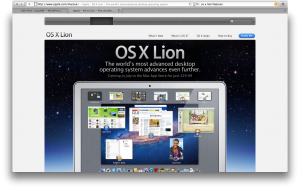
Apple releases Lion Update, Promises to fix Bug
Written By Unknown on Wednesday, 17 August 2011 | 08:39
Apple has released an update for its new Mac OS X 10.7, aka Lion, that promises to fix a number of vexing bugs that have been burbling into view in discussions on Apple's user forums.
The update, version 10.7.1, comes in four flavors: a general update for both Mac OS X Lion client and server, an update specific to the 2011 versions of the MacBook Air and Mac mini client, and one for the Mac mini server.
Each update, Apple says, will fix the oft-reported problem of system audio clamming up when using HDMI or optical audio–out ports. Also fixed is the tendency for the system to hang when playing a video in Safari, and the failure to transfer data, settings, and compatible applications to a new Mac also running Lion.
There are also improvements in Wi-Fi reliability, and a fix is included for the occasional disappearance of an admin account – oops – after updating to Lion from a Snow Leopard system.
The two server-specific upgrades add to this list improved reliability of the Apple File Service. The MacBook Air update also fixes occasional screen flickering and the Air's tendency to boot up when its MacSafe power adapter is attached to it, and the Mac mini updates fix an SD card-slot speed drop when reading either an SD or SDHC card.
As usual, you can either install the 10.7.1 update by selecting Apple > Software Update, or by downloading it from the appropriate link.
General client update:
This update addresses a number of issues, including:
Update for MacBook Air and Mac mini 2011 (Client):
This update addresses a number of issues, including:
Neither of these patches includes security updates.
The update, version 10.7.1, comes in four flavors: a general update for both Mac OS X Lion client and server, an update specific to the 2011 versions of the MacBook Air and Mac mini client, and one for the Mac mini server.
Each update, Apple says, will fix the oft-reported problem of system audio clamming up when using HDMI or optical audio–out ports. Also fixed is the tendency for the system to hang when playing a video in Safari, and the failure to transfer data, settings, and compatible applications to a new Mac also running Lion.
There are also improvements in Wi-Fi reliability, and a fix is included for the occasional disappearance of an admin account – oops – after updating to Lion from a Snow Leopard system.
The two server-specific upgrades add to this list improved reliability of the Apple File Service. The MacBook Air update also fixes occasional screen flickering and the Air's tendency to boot up when its MacSafe power adapter is attached to it, and the Mac mini updates fix an SD card-slot speed drop when reading either an SD or SDHC card.
As usual, you can either install the 10.7.1 update by selecting Apple > Software Update, or by downloading it from the appropriate link.
General client update:
This update addresses a number of issues, including:
- Address an issue that may cause the system to become unresponsive when playing a video in Safari
- Resolve an issue that may cause system audio to stop working when using HDMI or optical audio out
- Improve the reliability of Wi-Fi connections
- Resolve an issue that prevents transfer of your data, settings, and compatible applications to a new Mac running OS X Lion
Update for MacBook Air and Mac mini 2011 (Client):
This update addresses a number of issues, including:
- Address an issue that may cause the system to become unresponsive when playing a video in Safari
- Resolve an issue that may cause system audio to stop working when using HDMI or optical audio out
- Improve the reliability of Wi-Fi connections
- Resolve an issue that prevents transfer of your data, settings, and compatible applications to a new Mac running OS X Lion
- Resolve an issue where MacBook Air may boot up when MagSafe Adapter is attached
- Resolve an issue causing intermittent display flickering on MacBook Air
- Resolve an issue that causes the SD card slot in Mac mini to run at reduced speed with SD and SDHC media
Neither of these patches includes security updates.
Labels:
Apple
,
bug
,
Mac OS X Lion
,
Updates